

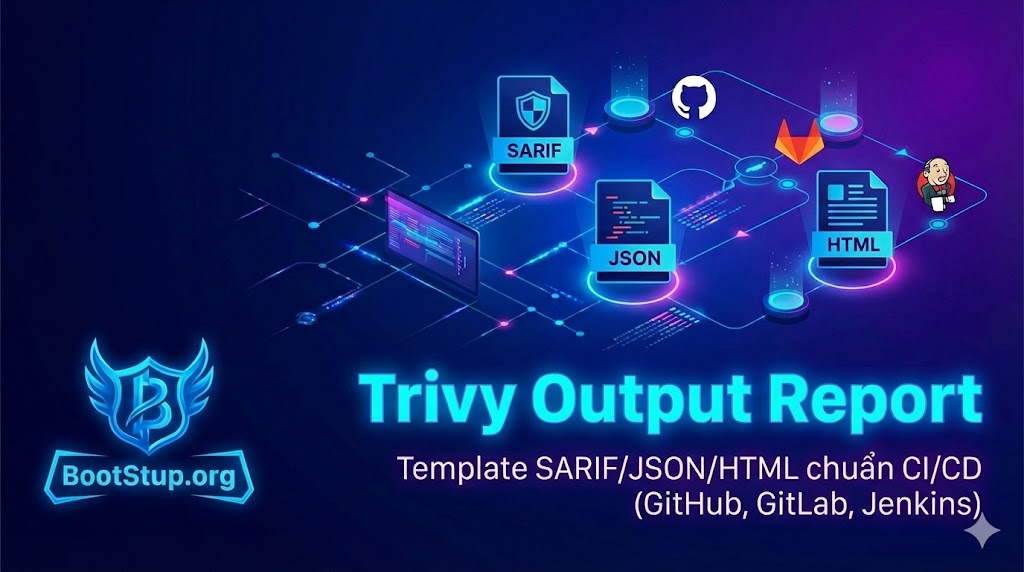
Trivy Output Report là gì?
Trong DevSecOps, việc “quét ra lỗi” chưa đủ — quan trọng hơn là report phải đọc được, chia sẻ được, và tự động hóa được trong CI/CD.
Trivy hỗ trợ nhiều định dạng output, phổ biến nhất là:
- SARIF: chuẩn để đưa lên GitHub Code Scanning / Security tab
- JSON: hợp để parse, đẩy vào hệ thống nội bộ, SIEM, dashboard, hoặc convert sang format khác
- HTML: phù hợp khi cần report dễ đọc cho PM/QA/Team không kỹ thuật, hoặc lưu artifact trên CI
Khi nào dùng SARIF / JSON / HTML?
SARIF (khuyến nghị nếu dùng GitHub)
Dùng khi bạn muốn:
- Hiện findings trong GitHub Security / Code scanning alerts
- Review lỗ hổng ngay trong PR (tuỳ setup)
- Chuẩn hóa theo pipeline compliance
JSON (khuyến nghị để tự động hóa)
Dùng khi bạn muốn:
- Viết rule “fail pipeline nếu CRITICAL/HIGH”
- Tổng hợp theo nhiều repo, tạo dashboard
- Convert sang HTML/CSV/JUnit tùy nhu cầu
HTML (khuyến nghị để share nội bộ)
Dùng khi bạn muốn:
- Một file report “mở là đọc”
- Lưu artifact trên GitLab/Jenkins
- Gửi report cho khách hàng / audit nhanh
Best practice: xuất report trong CI/CD
-
Quét image (trước khi deploy) và fs/repo (ngay khi PR)
-
Luôn lưu report thành artifact:
reports/trivy.* -
Tách 2 luồng:
-
Security UI (SARIF → GitHub Code Scanning)
-
Automation (JSON → parse + gate)
-
Human-readable (HTML → artifact)
-
Template output report (SARIF/JSON/HTML)
Các lệnh dưới đây là template “copy chạy được”. Bạn chỉ cần thay
IMAGE,TARGET, hoặc thêm options.
1) SARIF report (GitHub Code Scanning)
Quét image → xuất SARIF
mkdir -p reports
trivy image
  --format sarif
  --output reports/trivy-image.sarif
  --severity CRITICAL,HIGH,MEDIUM
  --ignore-unfixed
  --scanners vuln,misconfig,secret,license
  IMAGE_NAME:TAG
Quét filesystem/repo → xuất SARIF
mkdir -p reports
trivy fs
  --format sarif
  --output reports/trivy-fs.sarif
  --severity CRITICAL,HIGH,MEDIUM
  --ignore-unfixed
  --scanners vuln,misconfig,secret,license
  .
Gợi ý CI: upload file *.sarif lên GitHub Code Scanning (thường dùng action github/codeql-action/upload-sarif).
2) JSON report (để parse & gate pipeline)
Quét image → xuất JSON
mkdir -p reports
trivy image
  --format json
  --output reports/trivy-image.json
  --severity CRITICAL,HIGH,MEDIUM
  --ignore-unfixed
  --scanners vuln,misconfig,secret,license
  IMAGE_NAME:TAG
“Gate” nhanh: fail pipeline nếu có CRITICAL/HIGH (ví dụ bằng jq)
# Yêu cầu: cài jq
# Fail nếu có bất kỳ finding severity CRITICAL/HIGH
jq -e '
[
.Results[]?
| (.Vulnerabilities[]? | select(.Severity=="CRITICAL" or .Severity=="HIGH")),
(.Misconfigurations[]? | select(.Severity=="CRITICAL" or .Severity=="HIGH")),
(.Secrets[]? | select(.Severity=="CRITICAL" or .Severity=="HIGH"))
] | flatten | length == 0
' reports/trivy-image.json
Nếu command trên trả exit code != 0 → pipeline fail.
3) HTML report (artifact “mở là đọc”)
Trivy có nhiều cách tạo HTML, phổ biến nhất là dùng template.
A) HTML từ JSON + template (khuyến nghị, linh hoạt)
Bước 1: xuất JSON
mkdir -p reports

trivy image --format json --output reports/trivy-image.json IMAGE_NAME:TAG
Bước 2: render HTML bằng template
Lưu ý: trivy convert là cách “đẹp” để convert JSON sang template output. Nếu bản Trivy bạn dùng không có convert, có thể dùng trivy image --format template --template ... trực tiếp.
B) HTML trực tiếp khi scan (nếu bạn muốn 1 bước)
mkdir -p reports
mkdir -p reports
trivy image
  --format template
  --template "@template.tpl"
  --output reports/trivy-report.html
  IMAGE_NAME:TAG
Mẫu template HTML tối giản (template.tpl)
Template này cố tình gọn, đọc dễ, hợp làm artifact. Bạn có thể mở rộng thêm bảng Misconfig/Secrets.
<!doctype html>
🛡️ Trivy Security Report
Generated: {{ now }}
{{- if .ArtifactName }}Target: {{ .ArtifactName }}{{ end -}}
{{- if .ArtifactType }}Type: {{ .ArtifactType }}{{ end -}}
{{- $hasVuln := false -}}
{{- range .Results }}
{{- if .Vulnerabilities }}{{ $hasVuln = true }}{{ end -}}
{{- end -}}
{{- if not $hasVuln }}
✅ Không phát hiện Vulnerabilities
Template này chưa hiển thị Misconfiguration / Secrets
{{- else }}
{{- range .Results }}
{{- if .Vulnerabilities }}
{{ .Target }}
{{- range .Vulnerabilities }}{{- end }}
| CVE | Package | Installed | Fixed | Severity | Title |
|---|---|---|---|---|---|
| {{ .VulnerabilityID }} | {{ .PkgName }} | {{ .InstalledVersion }} | {{ if .FixedVersion }}{{ .FixedVersion }}{{ else }}-{{ end }} | {{ .Severity }} | {{ if .Title }}{{ .Title }}{{ else }}-{{ end }} |
{{- end }}
{{- end }}
{{- end }}
Tip: JSON để gate CI/CD · SARIF để upload GitHub Security · HTML để đọc nhanh artifact